Skip to content


Elsewhere on the web

Nightfall monster CG models.
It’s nice to see this because it was hard to truly appreciate the Guild Wars monster designs while battling them.

“I’d love to, but I don’t want to.”
Examples of bad videogame translation.

Art inspired by dance club culture.
“… the modern dj is almost like a contempary wizard and his energy casts a spell over touusands of people that makes thier bodies twist and move at his whim.” And speaking of spelling …
Posted in Web.


Diorama Studio Diorama Viewer guide part 3

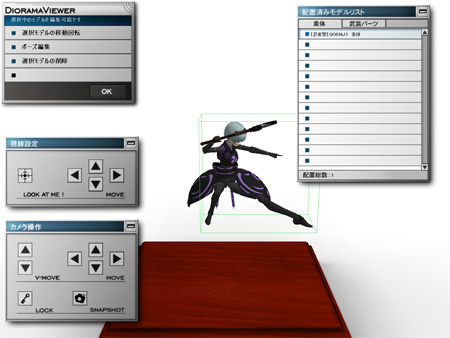
Konami’s Diorama Studio software is a remarkable program that puts a virtual action figure (based on designs from the Busou Shinki toyline) on your PC. It’s a free program but the fact it’s in Japanese may intimidate non-Japanese fans who are keen to try it out.

In previous guides, I showed you how to download and install Diorama Studio, display Japanese text on a non-Japanese edition of Windows XP, create a Konami ID and select and pose a CG model in the Diorama Studio Model Editor.

In part 1 of the Diorama Studio Diorama Viewer guide, I showed you how to select a diorama background and load a posed model and in part 2, I showed how to position the model in the diorama background and save your diorama data.

In this guide, I’ll show how you to load a saved diorama, position the camera and take a screenshot.

Continued…

Posted in Busou Shinki, Diorama Studio.


Diorama Studio Diorama Viewer guide part 2

Konami’s Diorama Studio software is a remarkable program that puts a virtual action figure (based on designs from the Busou Shinki toyline) on your PC. It’s a free program but the fact it’s in Japanese may intimidate non-Japanese fans who are keen to try it out.

In previous guides, I showed you how to download and install Diorama Studio, display Japanese text on a non-Japanese edition of Windows XP, create a Konami ID and select and pose a CG model in the Diorama Studio Model Editor.

In the first part of the Diorama Studio Diorama Viewer guide, I showed you how to select a diorama background and load a posed model into the diorama background. I left you at this screen:
Konami Busou Shinki Diorama Studio Diorama Viewer
In this guide, I’m going to show you how to position the model in the diorama background and save your diorama data.

Continued…

Posted in Busou Shinki, Diorama Studio.


Elsewhere on the web

Optimus Prime Lego.
“I spent 8 days straight designing, building, and improvising this sculpture. It’s Optimus Prime in Lego glory! This figure is based on the live-action movie version. It stands at 1.5 feet tall. I’m not finished with it yet.” (See also.)

Paper Optimus Prime.
Amazingly enough, it transforms.

Robo-servitude.
When the robot revolution comes, we will deeply regret these humiliating examples of forced labour.

Posted in Web.


GW:EN trailer screencaps

Screencaps of the recently released Guild Wars: Eye of the North trailer.

Guild Wars: Eye of the North trailer screencap

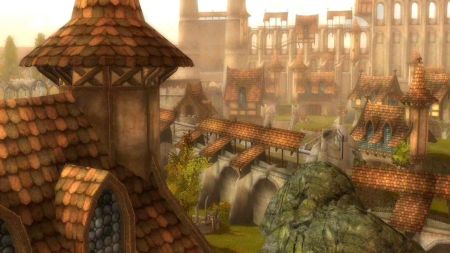
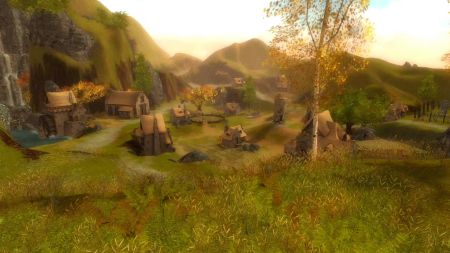
This is pre-Searing Ascalon, one of the most gorgeous settings for a game I’ve had the pleasure of playing in. Each and every screenshot from this place could earn a place in a museum. The screenshot seen above is of Lakeside County close to Ashford Abbey.
Guild Wars: Eye of the North trailer screencap

Ascalon City, the starter area for the first campaign (now retroactively titled Guild Wars Prophecies). I can still recall my nervousness and excitement as I surveyed the surroundings almost two years ago. I can scarcely believe I’m still playing the game and looking forward to my next adventure in the franchise.

(Speculation based on spoiler-ish material after the break.)
Continued…

Posted in Games, Guild Wars.