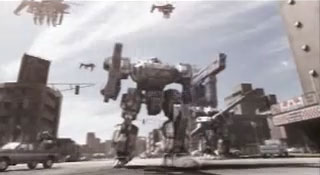
(Original image source: Front Mission 4 demo intro.)
“They still have a lot to learn about military tactics, but I’m sure Thammond will whip them into shape.”
Combat in Front Mission 4 is played out with a polished turn-based system. The interface is slick and simple, the game mechanics reasonably complex yet accessible. The problem is FM4 combat, which features clashes between giant mecha, is often less than gripping.
Players will start out commanding a mere three mecha units in battle and will eventually lead up to a dozen units (including temporary allies). Game speed can be intolerably slow due to the mecha animations, and selecting the Fast speed setting will help pick up the pace.
In battle, this strategy RPG requires surprisingly little thought for most of the lengthy campaign. There is a distinct lack of any real challenge, something compounded by the fact there is no provision to increase the difficulty.
Part of the problem is incurring damage in this game is only a trivial inconvenience. The damage model is of the all-or-nothing variety. For example, as long as its legs have 1HP left, a mecha’s mobility isn’t impaired in any way.
Moreover, damage is easily mitigated in battle—this extends to regenerating lost limbs (which also recovers attached weaponry)—with time the only cost to pay. A mecha with a repair backpack will be able to carry out repairs throughout the battle. A mecha is only lost when its body component is completely destroyed, but deep into the game, this, too, may be the most minor of problems as players will have the ability to instantly resurrect completely destroyed units in some scenarios.
With all these crutches available, tactics need be no more complicated than moving units to the nearest enemy and concentrating fire on a single target.
The greatest tactical challenge FM4 has to offer is mastering the subtleties of the Link system which allows pilots to support linked teammates either offensively or defensively. To best exploit links, the player will have to plan ahead and move units in just the right order. Unfortunately, there’s rarely an urgent need for that thought and care since the AI opponent leaves a lot to be desired.
Continued…