
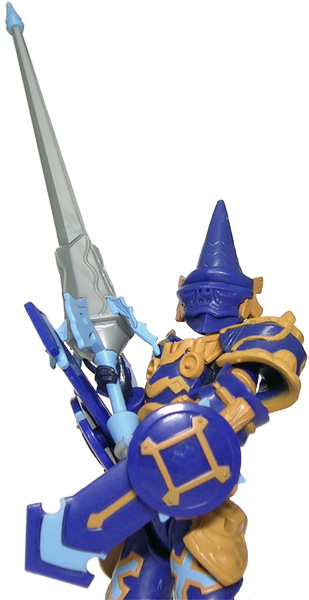
A photo of a Xevoz Runeslayer from the Runeslayer vs Firedrake set.
He slays runes, seriously injures letters and I’m not even going to go into what he does to pictograms.
In the wild, mouse at the ready, hunting down links
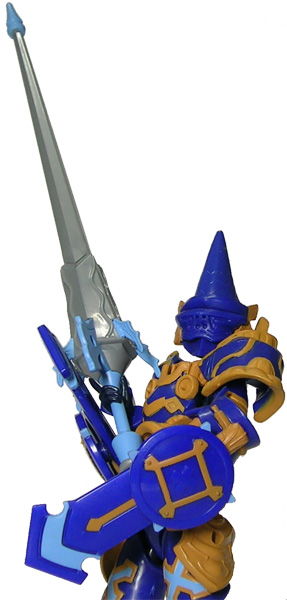
A photo of a Xevoz Runeslayer from the Runeslayer vs Firedrake set.
He slays runes, seriously injures letters and I’m not even going to go into what he does to pictograms.
Comments Off on The Runeslayer
– Monday, January 29, 2007

A photo of Takara Binaltech Tracks.
Posted in Pix, Toys, Transformers.
Comments Off on How droll
– Sunday, January 28, 2007
I mentioned earlier my problems with my CRT display. It may not have been clear to you what the big deal was so here’s an example of how it affected me.
This was a photo that looked perfectly all right on my CRT before calibration:
The differences before and after calibration can be just as jarring when it comes to other PC applications. Web sites look different to me since I now see colours and gradients where I previously saw only murky darkness. It’s also now clear to me my problems with Guild Wars had nothing to do with extreme goth sensibilities on the part of ArenaNet’s artists.
There are various ways of calibrating your monitor. Professional graphics artists or photographers will probably be best served by high-end solutions costing a few hundred dollars but the hoi polloi can make do with various free solutions available on the net. I would strongly recommend looking at image–based calibration at the very least since it would give you an indication of whether adjustments are necessary.
Posted in Hardware.
Comments Off on Colour me bad
– Saturday, January 27, 2007
I placed my order for the 20-inch Dell UltraSharp 2007WFP widescreen display early Tuesday morning, made my payment via Interbank Giro later the same day and was pleasantly surprised to receive the display today at noon. This was faster than I expected.
This was faster than Dell expected as well. The company’s online order status page initially estimated the display would be delivered on the 31st before amending it to the 29th. The local carrier then called me on Thursday to expect delivery between 2pm to 5pm on Friday.
I mention all this because “faster than expected” is not usually a phrase heard by Malaysians.
The display comes in two separate boxes: a large one for the display and stand, and a smaller one for the power cord. Dell probably separates the power cord to make it easier to accommodate sales from different countries. The label on the display box notes my 2007WFP is Rev A03 and made in China.
Setting up the display is straightforward thanks to the instructions included. The first thing you have to do is to attach the display to the stand and this involves aligning and inserting four tabs on the stand to corresponding slots behind the display.
The next step is to attach the cables. The power cable is a simple matter but you have a choice when it comes to graphics cables. The display comes with two types of graphics cable: a VGA cable and a DVI-D cable. The VGA cable was attached but I removed that and went with the DVI-D cable instead. (See this site for an explanation of why the DVI-D connection is preferable.)
Then the moment of truth: I booted up the PC.
Nothing exploded. A good sign.
Since my Windows XP desktop was set previously to 1024×768, everything looked stretched in widescreen. I quickly switched to 1680×1050, the 2007WFP’s native display. (Note that this resolution was immediately available in the desktop properties once the display had been attached.)
The colours looked too bright and washed out initially but that was because Adobe Gamma was using settings for my old CRT. I calibrated the LCD display and it looks all right to me now.
I then went into the service menu to check the panel type. The panel code is RT803 and a Google search reveals this to be a S-IPS panel. I’d like to reiterate my doubts whether I could actually differentiate between an S-IPS and an S-PVA panel. But a little part of me — an irrational, fussy part — is happy that I got the “better” one.
I haven’t made any rigorous checks for dead pixels, colour banding, backlight bleeding or flickering as yet; I’ll do that over the weekend. Right now, my priority is ensuring readability. I’ve changed the DPI setting to 120dpi and turned on ClearType but I’m still having slight problems reading small text on some web pages at 1680×1050. It will take me a while to find fonts that are neither too big nor too small.
Posted in Hardware.
rev="post-861" 1 comment
– Friday, January 26, 2007
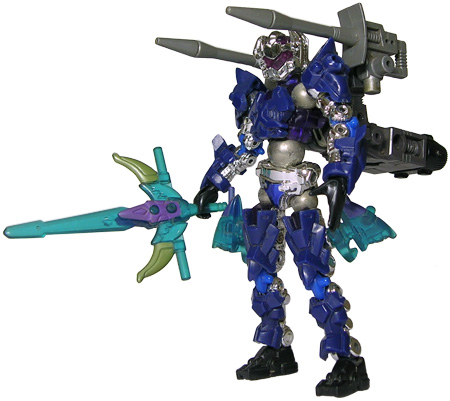
That’s three Takara lines spanning two decades.
rev="post-859" 2 comments
– Thursday, January 25, 2007
