Skip to content


Well, that didn’t take too long

From page 76 of today’s New Straits Times:
Tevez saga

Posted in Football.


Strike a pose 9/52

Takara Tomy Action Hero Pro: strike a pose

Every boy in my neighbourhood would stop whatever he was doing when Ultraman was on and we would reenact the episode after that. This reenactment would consist solely of we kids beating each other up.

Posted in Pix, Strike a pose, Toys.


Elsewhere on the web

Stikfas Cuboyds Transformers customs.
Very cool.

Head on!
Good sculpt. Excellent paint apps. Very lifelike. Strongly recommended.

Galactus, devourer of worlds.
Armageddon with a smile.

Posted in Web.


Painkiller on widescreen, dual core

Painkiller has recently gone on sale over at Steam. For less than 10 bucks, you get Painkiller plus the expansion and I think that’s a steal.

I’m only in the second chapter of the game but I’ve been having a blast. The game is an entertaining old-school shooter done with new-school technology.

(Shotgun + ragdoll physics = endless amusement.)

The version on Steam has been patched to 1.64 and is approximately 3.4GB in size. The download includes the manual in PDF format (which can also be downloaded separately from the product page) and a readme text file with addendum.

The game support widescreen resolutions including the 1680×1050 native resolution of my Dell 2007WFP. I had to change a setting to increase the field of view, though.

To do this, dig down to the following folder:

Steam\steamapps\common\painkiller gold edition\Bin

Then locate the config.ini file. Find the line that reads:

cfg.FOV = 95

Since I had a 16:10 display, I changed that to read:

cfg.FOV = 105

There are screenshots on the Widescreen Gaming Forum page I linked above that illustrate the differences between the two settings.

Screenshots are taken with the F12 key and saved in the BMP format. They’re stored in:

Steam\steamapps\common\painkiller gold edition\Data\Screenshots

rather than:

Steam\steamapps\common\painkiller gold edition\Screenshots

I have no idea why there are two screenshot folders.
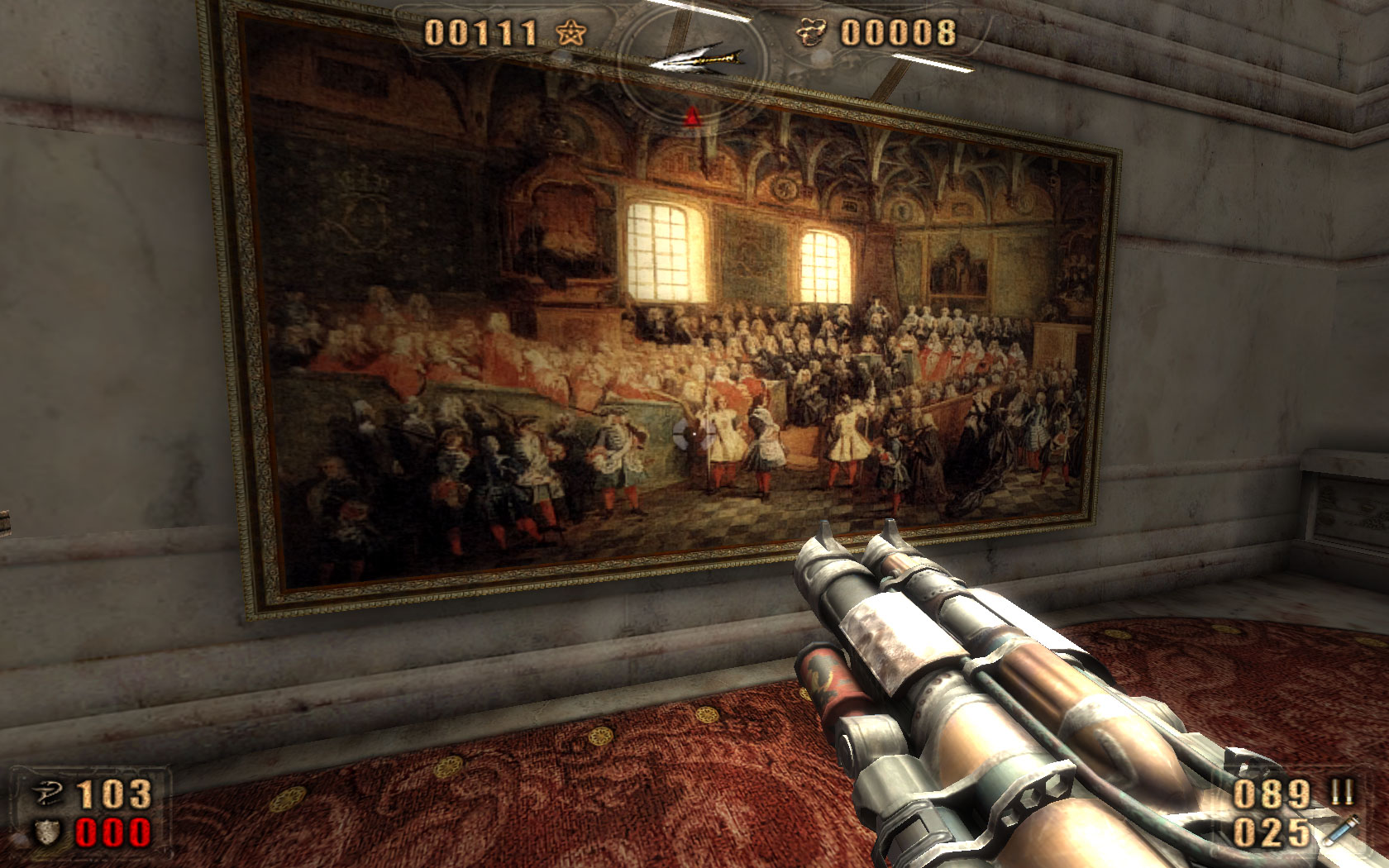
Painkiller: Paris Opera House
I optimistically set every graphics and audio setting at maximum but I was thoroughly crushed to find the in-game performance awful. Movement was in slow-motion and jerky on top of that.

The problem was actually not due to anaemic hardware. In fact, the opposite was true. My hardware is too damn good for the game. It’s specifically caused by the game not knowing how to deal with my AMD X2 4400+ dual core processor despite my having installed the AMD Dual Core Processor Windows XP driver. The fix for this is to get the AMD Dual Core Optimizer. Once I applied the optimizer I got silky smooth performance.

The game seems stable. The only trouble I had was when the game seemed to freeze at the start of the Paris Opera House level. The game recovered after about a minute, though, and I was soon waging battle against Dark Ninja and Evil Samurai.
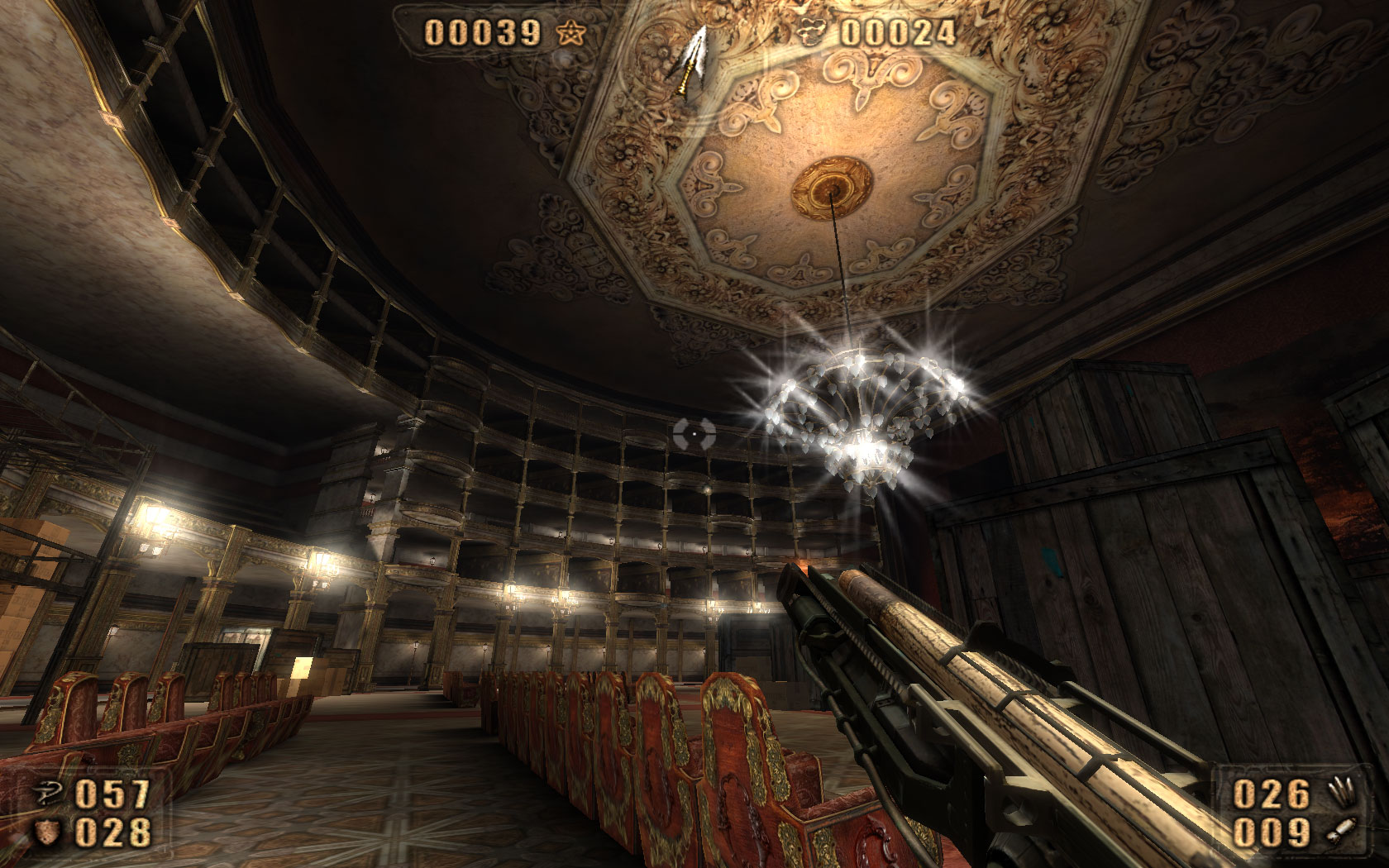
Painkiller: Paris Opera House
I’m sure there’s some deep socio-cultural insight to be gained from the fact the protagonist is battling evil Japanese warriors within a symbol of European high culture but I’m not capable of offering anything other than this: the Phantom of the Opera would have been a much shorter book if the Vicomte de Chagny had a Stakegun with a Grenade Launcher attachment.

Posted in Games.


Keep cool, get Steam

One of my previously stated reasons for getting a new PC was to play games on it.

However, upon trying to decide on what game I wanted to play, I remembered just why I was deeply unhappy with the state of PC gaming.

See, these are the things I have to investigate before purchasing a PC game …

I first have to take into consideration the type of copy-protection used. Will it be compatible with my system? Will it interfere with other programs? Will it surreptitiously place some low-level driver that might cause problems? Will those drivers remain after I uninstall the game? Will it cause a hit to the game’s performance?

(There are cracks that circumvent obnoxious copy-protection schemes but that route is fraught with peril as well.)

Then I have to find out whether the game has been updated. If so, is the latest update incremental? Do I need an older update before updating to the latest one? Where is the update located? The publisher’s web site? The developer’s? Do I have to put my trust in some third-party web site?

Finally, I have to determine if the game is actually available for purchase. (This is the downside of waiting until a patch or two has been released.) Local retailers tend to have limited stocks of titles and popular titles are often sold out. I could get games from overseas through eBay or retailers like Play-Asia but this might incur extra cost and would definitely take at least a week to arrive at my doorstep.

Doing all that homework seems just way too much exhausting prep work for play.

It doesn’t have to be that way, though.

Straight to my drive

It soon became evident to me what I was looking for was digital distribution. There are a couple of choices for this and even one local provider.

I went with Steam mainly because of the product choice. A lot of the games on my to-play list were on it and Steam has at least one classic game I’d love to replay.

Now, I had my concerns about Steam. As a matter of fact, I once mentally associated Steam with “shoddy piece of software that would cause intense frustration” after reading post after post about Steam-related problems on gaming message boards.

The content delivery service has apparently come of age and gamers now tend to praise it. The beauty of Steam is that the games don’t go out of stock, your games are automatically updated and games are stripped of the more draconian forms of copy-protection since there aren’t any CDs or DVDs.

Valve has made the service all the more appealing by allowing you to play in offline mode. There’s no longer any need to go online to have your account verified every time you launch a game and there’s no need to stay online to play an offline game. You can now even back up your games. This is great since I would hate to spend several hours downloading a game I’ve uninstalled.

There are a couple of downsides.

Some games aren’t available outside North America, downloading a multi-gigabyte game on a 1 Mbps connection can take quite a while, Steam is incompatible with some programs and there are phishing attempts to be wary of.

Still, all things considered, this is pretty much as good as it gets right now. I joined Steam on Monday, picked Painkiller Gold, paid for it with PayPal and finished downloading it (complete with the latest update) on Tuesday.


Posted in Games.